

Teams
Collaborate with team members, manage shared events, and work together on scheduling with powerful team features.What are Teams?
Teams let you collaborate with others on event management, share bookings, and work together on scheduling. Perfect for businesses with multiple staff members, departments, or service providers.Creating a Team
Basic Team Setup
- Navigate to Teams: Go to the Teams section in your dashboard
- Click “Create Team”: Start building your team
- Team Details:
- Team name and description
- Business information
- Team branding
- Initial settings
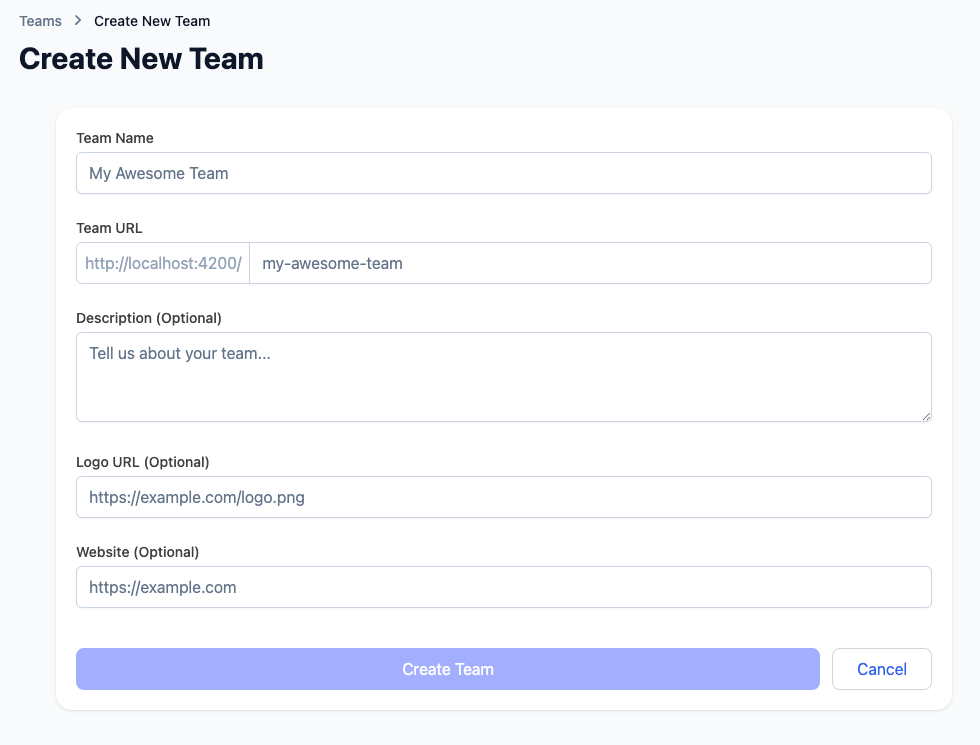
Team Configuration
Basic Information:- Team name and tagline
- Description of team purpose
- Business category
- Contact information
- Default permissions
- Booking policies
- Notification preferences
- Integration settings
Team Permissions
Control what team members can access and modify:Admin Permissions
Full Access:- Create and manage all events
- Invite and remove team members
- Manage team settings
- Access all bookings and analytics
- Configure team policies
Member Permissions
Event Management:- Create and edit events
- Manage their own bookings
- View team calendar
- Access shared resources
- Collaborate on events
Viewer Permissions
Read-Only Access:- View team events and bookings
- See team calendar
- Access basic information
- Limited to viewing only
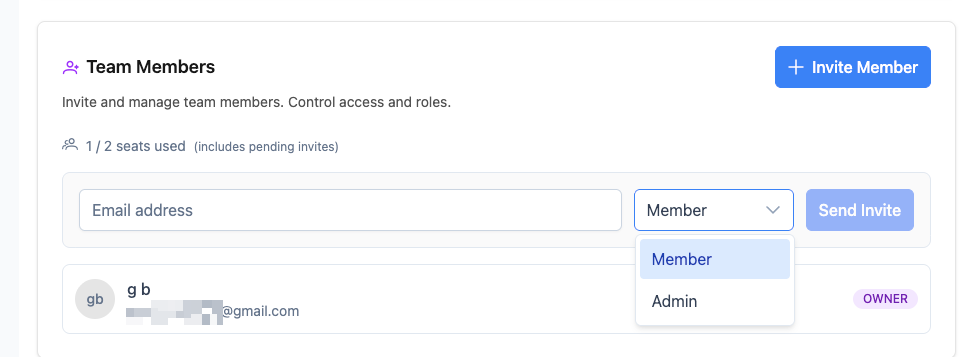
Inviting Team Members
Invitation Process
- Open Your Team: Navigate to team management
- Click “Invite Members”: Start the invitation process
-
Enter Details:
- Email addresses
- Permission levels
- Custom messages
- Welcome information
- Send Invitations: Automatic email notifications sent
- Track Status: Monitor invitation acceptance
Invitation Management
Invitation Types:- Email Invitations: Direct email invites
- Link Sharing: Shareable invitation links
- Bulk Invitations: Invite multiple members at once
- Custom Messages: Personalized invitation content
- Pending Invitations: Track who hasn’t responded
- Accepted Invitations: Monitor new team members
- Resend Invitations: Follow up on pending invites
- Cancel Invitations: Revoke pending invitations
Team Events
Creating Team Events
Team events can be managed by multiple team members: Event Types:- Collective Events: Any team member can host
- Round Robin Events: Automatic distribution
- Group Events: Multiple team members involved
- Shared Events: Team collaboration required
- Team Assignment: Select which members can host
- Availability Sync: Coordinate team schedules
- Workload Distribution: Balance booking assignments
- Quality Control: Team standards and policies
Team Event Management
Collaborative Features:- Shared Calendars: See all team availability
- Event Templates: Standardized event types
- Quality Standards: Consistent service delivery
- Performance Tracking: Individual and team metrics
- Approval Processes: Team-based approvals
- Handoff Procedures: Smooth member transitions
- Backup Coverage: Automatic reassignment
- Quality Assurance: Team review processes
Team Calendar
Unified Scheduling View
See all team members’ schedules in one comprehensive view: Calendar Features:- Individual Availability: Each member’s schedule
- Shared Events: Team-wide events
- Booking Conflicts: Identify scheduling issues
- Resource Management: Shared resources and rooms
- Color Coding: Different colors for each member
- Status Indicators: Available, busy, tentative
- Event Types: Different icons for event categories
- Time Zones: Support for distributed teams
Calendar Collaboration
Scheduling Coordination:- Availability Sharing: See when team members are free
- Conflict Resolution: Identify and resolve scheduling conflicts
- Resource Booking: Manage shared spaces and equipment
- Team Meetings: Schedule internal team meetings
- Recurring Events: Set up regular team meetings
- Time Zone Support: Work with distributed teams
- Mobile Access: Calendar access on all devices
- Integration: Sync with external calendars
Team Management
Administrative Controls
Team Settings:- Edit Team Information: Update name, description, branding
- Permission Management: Adjust member access levels
- Policy Configuration: Set team rules and standards
- Integration Settings: Connect with external tools
- Add/Remove Members: Manage team composition
- Permission Updates: Change member access levels